The Best Ultra Short Throw Projectors in 2026 (4K Laser TVs)
An ultra short throw projector sits inches below your screen and fires a 100-inch picture up the wall — the closest thing to a giant TV without the price or the wall mount. These six 4K laser USTs are compared on brightness, throw and price, with every spec cited to a named source like ProjectorCentral or RTINGS.
An ultra short throw (UST) projector is the closest thing to a 100-inch TV that doesn’t cost five figures or weigh as much as a fridge. Instead of mounting on the far wall or ceiling, a UST unit sits on a credenza a few inches below the screen and fires almost straight up — ProjectorCentral defines the category as a throw ratio under 0.4, which is why these models can fill a 100-inch screen from roughly 6 to 18 inches off the wall (ProjectorCentral, Top 10 UST, June 2026). They’re sold as “laser TVs” for a reason: 4K resolution, 2,000-plus lumens, and a smart OS built in. The trade-off is that a UST is a system, not just a box — to look its best in a normal living room with lamps and windows, it really wants a matching ALR (ambient-light-rejecting) screen, and the good ones add $1,000–$3,000 on top. This guide covers six current (2025–2026) 4K laser USTs, from a $2,199 entry point to a $5,900 flagship, and every spec below is cited to a named source — ProjectorCentral, RTINGS, Projector Reviews, TechRadar or the manufacturer’s own sheet — so you can check our work. We don’t run a projector lab, so where a number is a measured result we say who measured it.
The picks at a glance
Six 4K laser USTs across every budget and room type — from the best all-rounder to the brightest bright-room pick to the value entry point. Compare them at a glance, then jump to any full write-up below.
| UST projector | Best for | Standout (cited) | Get it |
|---|---|---|---|
![]() Hisense PX3-PRO RGB triple-laser UST | Best overallClass-leading contrast + gaming | ~4,000:1 measured contrast · 3,000 lm rated / 2,669 measured · ~14 ms at 120Hz | |
![]() Formovie Theater Premium RGB triple-laser UST | Best valueFlagship features, mid-tier price | Dolby Vision + 107% BT.2020 · 2,200 ISO lm · 0.21:1 throw · Bowers & Wilkins audio | |
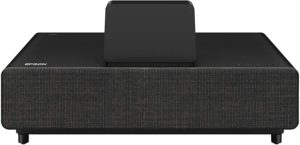
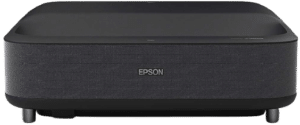
![]() Epson EpiqVision Ultra LS800 3LCD laser UST | Best for bright roomsThe brightness leader | 4,000 lm white & color · 0.17:1 (shortest throw) · ~16.7 ms · no rainbow (3LCD) | |
![]() XGIMI Aura 2 Dual-light UST | Best for living-room designFurniture-friendly fabric finish | ~99% DCI-P3 + Dolby Vision · 2,300 ISO lm · 0.18:1 throw · 60W Harman Kardon | |
![]() Samsung The Premiere 9 RGB triple-laser UST | Premium pickBrightest TV-replacement here | 3,200 ANSI lumens · RGB triple laser · Tizen + Gaming Hub · 2.2.2 / 40W audio | |
![]() Hisense PT1 RGB triple-laser UST | Best budget USTCheapest RGB-laser entry point | ~$2,199 street · RGB triple laser · 2,500 ANSI lm · Dolby Vision + Google TV |
Which ultra short throw projector is right for you?
Skip the spec overwhelm — match your room and your priority to the pick.
The key specs, cited
Every figure here is from a named source — ProjectorCentral spec pages and reviews, RTINGS, What Hi-Fi? or the manufacturer’s own sheet — footnoted below (here’s how we research and pick, and who we are) — so you can match the right laser TV to your room at a glance.
| UST projector | Resolution | ANSI lumens | Throw ratio | Light source | HDR / notes |
|---|---|---|---|---|---|
| Hisense PX3-PRO Best overall | 4K via 0.47″ DLP, 4-phase shift (not native 4K)¹ | 3,000 rated / 2,669 measured¹ | ~0.25:1; ~1 ft 7 in for 100″¹ | RGB triple laser; ~25,000 hrs¹ | Dolby Vision/HDR10+/HDR10/HLG/IMAX; ~4,000:1 measured contrast¹ |
| Formovie Theater Premium Best value | 4K via single DLP, pixel-shift (not native 4K)² | 2,200 (ISO)² | 0.21:1; ~1 ft 6 in for 100″² | RGB triple laser; ~25,000 hrs (uncertain)² | Dolby Vision/HDR10+/HDR10/HLG; 3,000:1 contrast² |
| Epson EpiqVision Ultra LS800 Best for bright rooms | 1080p ×3 (3LCD), 2-phase shift → 4K PRO-UHD (not native 4K)³ | 4,000 white & 4,000 color³ | 0.17:1 (shortest); ~1 ft 2 in for 100″³ | Laser + phosphor; ~20,000 hrs³ | HDR10/HLG (no Dolby Vision); ~16.7 ms input lag³ |
| XGIMI Aura 2 Best for living-room design | 4K via 0.47″ DLP, pixel-shift (not native 4K)⁴ | 2,300 (ISO)⁴ | 0.18:1 (PC); ~7 in / 17.8 cm per XGIMI⁴ | Dual Light (RGB LED + laser); ~20,000 hrs⁴ | Dolby Vision/HDR10/HLG/IMAX; ~19 ms game-mode lag⁴ |
| Samsung The Premiere 9 (LPU9D) Premium pick | 4K via single DLP, pixel-shift (not native 4K)⁵ | 3,200 ANSI (3,450 ISO per PC)⁵ | 0.19:1; ~1 ft 4 in–1 ft 8 in for 100″⁵ | RGB triple laser⁵ | HDR10+/HDR10/HLG (no Dolby Vision); Tizen + Gaming Hub⁵ |
| Hisense PT1 Best budget UST | 4K via single DLP, 4-way shift (not native 4K)⁶ | 2,500 ANSI⁶ | 0.20:1; placement uncertain — confirm⁶ | RGB triple laser⁶ | Dolby Vision/HDR10+/HDR10/HLG; 3,000:1 contrast⁶ |
- Treat box brightness as a ceiling, not a promise. Manufacturer ANSI/ISO ratings and independent lab measurements frequently disagree on projectors. The clearest example here: the PX3-PRO is rated 3,000 ANSI but ProjectorCentral measured 2,669 in its brightest mode — within ISO tolerance, but a reminder that real-world output usually lands below the box figure.¹
- Ignore the million-to-one “dynamic” contrast numbers. The Epson’s “over 2,500,000:1,” the XGIMI’s “1,000,000:1” and the Samsung’s “2,000,000:1” are laser-dimming figures, not real scene contrast. The meaningful number is native (full on/off): ProjectorCentral measured the PX3-PRO at just over 4,000:1 — the best of the USTs it has measured — while most rate around 3,000:1.¹ ²
- “Native 4K” is marketing in this class. Effectively all of these use a 1080p-class chip with pixel shifting (TI’s XPR on the DLP models; the Epson uses 3-chip 3LCD with 2-phase shifting) to put a full 3840×2160 grid on screen — none is a native-4K imager. ProjectorCentral notes that on the PX3-PRO “most viewers would struggle to distinguish it from a native 4K projector.”¹ True native-4K imagers live in $10k+ long-throw projectors.
- RGB triple-laser vs. single-laser-plus-phosphor is a color trade-off. The RGB / triple-laser engines (PX3-PRO, Formovie, Samsung, PT1) hit the widest gamuts — ProjectorCentral measured 99.8% DCI-P3 on the PX3-PRO. Single-laser-plus-phosphor designs (Epson LS800) and the XGIMI’s dual-light engine are typically a touch narrower, but can run very bright and avoid laser speckle.¹ ³ ⁴
- For gaming, the PX3-PRO is the standout — by spec. It’s the only “Designed for Xbox” UST here, with HDMI 2.1, 4K/120 support and input lag down to ~14 ms at 120Hz. The Epson LS800 is also strong at ~16.7 ms with 1080p/120. The Formovie, XGIMI and Samsung are more movie-first — verify their gaming specs before buying for fast play (the Samsung’s 4K/120 + VRR is not confirmed on its PC spec sheet).¹ ³ ⁵
- One placement figure is suspect. ProjectorCentral lists the Hisense PT1’s throw distance as ~6 ft 6 in, which looks like a data error for a 0.20:1 UST (expect roughly 8–12 in for 100″). Confirm exact placement on Hisense’s own sheet before you commit your cabinet to it.⁶
Sources: [1] ProjectorCentral — Hisense PX3-PRO specs & RGB Laser UST review; What Hi-Fi? PX3-Pro (4K via 0.47″ DLP with 4-phase pixel shifting, 3,000 ANSI rated / 2,669 measured in brightest mode, ~0.25:1 throw / ~1 ft 7 in for 100″, RGB triple laser ~25,000 hrs, ~4,000:1 measured native contrast, 99.8% DCI-P3 measured, Dolby Vision/HDR10+/HDR10/HLG/IMAX Enhanced, “Designed for Xbox” HDMI 2.1 with 4K/120 and ~14 ms input lag, Google TV, 50W Harman Kardon) · [2] ProjectorCentral — Formovie Theater Premium specs; Engadget Formovie Theater review (4K via single DLP pixel-shift, 2,200 ISO lumens, 0.21:1 throw / ~1 ft 6 in for 100″, RGB triple laser, 3,000:1 full on/off contrast, 107% BT.2020, Dolby Vision/HDR10+/HDR10/HLG, Google TV, HDMI 2.1 ×3, “Sound by Bowers & Wilkins” 15W ×2; lifespan figure uncertain) · [3] ProjectorCentral — Epson EpiqVision Ultra LS800W specs & LS800 UST review; Epson (1920×1080 ×3 3LCD with 2-phase pixel shift → 4K PRO-UHD, 4,000 lumens white + 4,000 lumens color, 0.17:1 throw / ~1 ft 2 in for 100″, laser+phosphor ~20,000 hrs, HDR10/HLG, ~16.7 ms input lag, HDMI 2.0 ×3 with 4K/60 and 1080p/120, Android TV, Yamaha 2.1 audio) · [4] ProjectorCentral — XGIMI Aura 2 specs; RTINGS & TechRadar (4K via 0.47″ DLP pixel-shift, 2,300 ISO lumens, 0.18:1 per PC / ~7 in per XGIMI, Dual Light RGB-LED + laser ~20,000 hrs, ~99% DCI-P3, Dolby Vision/HDR10/HLG/IMAX Enhanced, HDMI ×2 4K/60, ~19 ms game-mode input lag, Android TV, 60W Harman Kardon; Netflix support uncertain) · [5] ProjectorCentral — Samsung The Premiere 9 (LPU9D) specs; TechRadar (4K via single DLP pixel-shift, 3,200 ANSI / 3,450 ISO, 0.19:1 throw, RGB triple laser, HDR10+/HDR10/HLG, Tizen Smart Hub + Gaming Hub, 2.2.2 / 40W audio, ~130″ max image; 4K/120 + VRR not confirmed on PC spec sheet) · [6] ProjectorCentral — Hisense PT1 specs (4K via single DLP 4-way pixel-shift, 2,500 ANSI lumens, 0.20:1 throw, RGB triple laser, 3,000:1 contrast, Dolby Vision/HDR10+/HDR10/HLG, Google TV, 46W / 4-speaker Atmos & DTS:X; listed throw distance appears inconsistent — verify). All figures are manufacturer- or named-source-published and may be revised over time; brightness figures are ratings except where a measured value is noted.
The six picks, in depth
Hisense PX3-PRO — TriChroma RGB laser UST
This is the most well-rounded UST you can buy right now. It pairs a TriChroma RGB triple-laser engine with the best measured picture of the group: ProjectorCentral measured ~4,000:1 native contrast — outperforming every other UST it has tested — and a wide 99.8% DCI-P3 gamut, with a full HDR stack including Dolby Vision, HDR10+ and IMAX Enhanced (ProjectorCentral, What Hi-Fi?)¹. It’s also the best gaming UST here as the only “Designed for Xbox” model, with HDMI 2.1, 4K/120 support and input lag down to ~14 ms at 120Hz, and it runs Google TV with native Netflix so no streaming stick is needed¹.
The honest catch is brightness: it’s rated 3,000 ANSI but ProjectorCentral measured 2,669 lumens, and noted it can look dim above ~120″, so it’s a living-room projector with an ALR screen rather than a bright-room champion¹. Like all single-chip DLP USTs it can show a faint rainbow on white text, and it still needs a level cabinet and a UST ALR screen to look its best. But at a ~$2,499 street price it undercuts the Samsung and other flagships by thousands while beating them on measured contrast — which is exactly why it’s the top overall pick.
Epson EpiqVision Ultra LS800 — 3LCD laser UST
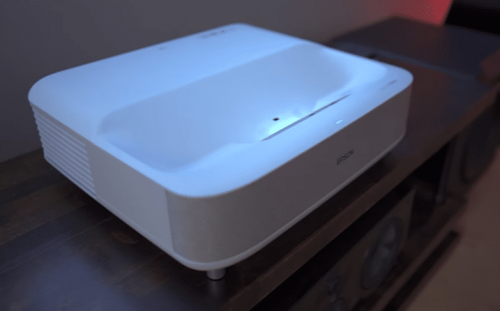
This is the one UST here that genuinely shrugs off ambient light. At 4,000 lumens of both white and color brightness it’s the brightness leader of the group, and its 0.17:1 throw is the shortest here — it sits about 14 inches from the wall for a 100″ image (ProjectorCentral)³. Because it uses a 3-chip 3LCD panel (with 2-phase pixel shifting to 4K PRO-UHD) rather than a single DLP chip, it produces no rainbow artifacts, and with ~16.7 ms input lag plus 1080p/120 support it doubles as a strong big-screen gaming display for bright family rooms³. Android TV and Yamaha-tuned 2.1 audio round out a mature, reliable Epson platform³.
The honest trade-offs are about color and contrast: it’s a single blue-laser-plus-phosphor design, so its gamut is narrower than the RGB triple-laser rivals, it tops out at HDR10/HLG with no Dolby Vision, and its black levels and native contrast trail the RGB-laser DLP picks in a dark room³. It’s also HDMI 2.0, not 2.1, so no 4K/120³. But if your living room has windows and lamps and you want a laser TV that stays punchy with the lights on, this is the clear pick.
XGIMI Aura 2 — dual-light 4K UST
This is the pick for people who care how the projector looks in the room, not just on the screen. It wraps a genuinely good ~99% DCI-P3 picture with Dolby Vision and IMAX Enhanced in the nicest industrial design of the class — a “Moonlight Sand” fabric finish meant to sit on a credenza in a living room, not hide in a cave — and backs it with a punchy 60W Harman Kardon sound system (15W ×4) (ProjectorCentral, RTINGS)⁴. The Dual Light engine (RGB LED plus a red laser) improves color over the original Aura, the 0.18:1 throw is very short, and auto-setup (autofocus, auto keystone) makes placement easy⁴.
The honest trade-offs: it has only two HDMI ports and they cap at 4K/60 (no HDMI 2.1 / 4K-120), and at 2,300 ISO lumens it’s mid-pack — it needs an ALR screen for bright rooms⁴. TechRadar also flags a notable flaw worth checking, and Netflix support may need a workaround, so verify current firmware before buying (uncertain)⁴. But at a ~$2,469 street price, if you want a UST that disappears into a tasteful living room and sounds great doing it, this is the design-led choice.
Samsung The Premiere 9 (LPU9D) — RGB triple-laser UST
This is the flagship for buyers who want the brightest TV-replacement here with Samsung’s ecosystem. It’s an RGB triple-laser design rated 3,200 ANSI lumens (ProjectorCentral lists 3,450 ISO), making it one of the most living-room-ready picks for ambient light with an ALR screen, and it runs the polished Tizen smart platform — the same Smart Hub and Gaming Hub Samsung TV owners already know — with a capable built-in 2.2.2 / 40W speaker array (ProjectorCentral, TechRadar)⁵. It’s a compact, refined RGB-laser flagship from a major brand with wide retail support and the SP-LPU9D replaces the older LSP9T⁵.
The honest trade-offs are price and HDR: at ~$5,900 street it’s by far the most expensive pick — roughly 2.5× the PX3-PRO for similar brightness — and it tops out at HDR10+/HDR10/HLG with no Dolby Vision⁵. It also caps at about a 130″ image, and its 4K/120 + VRR gaming support isn’t confirmed on ProjectorCentral’s spec sheet, so verify before buying it to game on (uncertain)⁵. But if budget isn’t the constraint and you want maximum living-room brightness inside Samsung’s ecosystem, this is the flagship.
Hisense PT1 — RGB laser UST
This is the cheapest way into a true RGB-triple-laser UST. At a ~$2,199 street price the PT1 brings the wide-gamut laser look, full Dolby Vision (plus HDR10+/HDR10/HLG) and Google TV down from pricier Hisense units, with a surprisingly strong 46W, four-speaker audio system with Dolby Atmos and DTS:X (ProjectorCentral)⁶. It’s a recent (September 2025) model, so it’s on a current platform with current support, and its 0.20:1 throw keeps it close to the wall like the rest of the group⁶.
The honest trade-offs: at 2,500 ANSI lumens it’s fine with an ALR screen but it’s not a bright-room champion, and ProjectorCentral’s listed throw distance for it looks inconsistent — so confirm exact placement on Hisense’s sheet before you size your cabinet (uncertain)⁶. It also has fewer independent lab reviews than the PX3-PRO or Formovie, so there’s less measured data to lean on⁶. But for a first laser TV in a light-controlled room, it’s the value entry point into the RGB-laser look.
Throw ratio: how close it actually sits — and why that’s fixed
Throw ratio is the spec that defines this category. A throw ratio of ~0.2 means the projector sits about 20% of the screen’s width from the surface, so in practice the picks here land a 100-inch image from roughly 6–18 inches off the wall: the Epson LS800 at 0.17:1 (about 14 in for 100″, per ProjectorCentral’s LS800W specs), the Hisense PX3-PRO at a published throw distance of about 1 ft 7 in for 100″. Critically, that distance is largely fixed — UST lenses have little to no zoom, so your screen size is set by how far you slide the cabinet. Going from 100″ to 120″ can mean the unit no longer fits your furniture, so measure your credenza and wall first and pick the screen size around it. (Building a short-throw setup instead, where the projector sits a few feet back rather than inches? See our best short throw projectors guide.)
ANSI lumens: what it takes to beat a bright room
Brightness is what separates a “laser TV” you can watch with the lights on from a darkroom projector. ProjectorCentral’s own guidance is that the PX3-PRO’s jump to 3,000 lumens is “what brings this projector out of the home theater and into the living room” — while still recommending an ALR screen in ambient light. But note the gap between rated and measured: the PX3-PRO is rated 3,000 ANSI but ProjectorCentral measured 2,669 in its brightest mode (within ISO tolerance, but a reminder to treat box specs as ceilings). For a genuinely bright room, the 4,000-lumen Epson LS800 is the brightness leader of this group, and the 3,200-ANSI Samsung Premiere 9 is the next step. The dimmer picks (Formovie at 2,200, XGIMI at 2,300, PT1 at 2,500) are excellent in light-controlled rooms but lean hardest on a good ALR screen.
The ALR screen is not optional in a bright room
A UST’s image washes out faster than a TV’s in ambient light, and a UST-specific (lenticular) ALR screen rejects overhead light to restore contrast. ProjectorCentral repeats this across the category — even for brighter models — because a plain white wall or a standard front-projection screen will look dull and milky by comparison. Budget $1,000–$3,000 for a good 100–120″ UST ALR screen on top of the projector. In a fully dark, light-controlled room you can get away with a plain matte-white screen, but in any room with daylight or lamplight the ALR screen is the single biggest factor in whether your laser TV looks like a TV or like a dim projection. Treat it as part of the purchase, not an afterthought — a $5,000 projector on a bedsheet is a waste.
“Native 4K” is marketing — almost every UST pixel-shifts
Effectively all of these projectors use a 1080p-class DLP chip (typically the 0.47″ DMD) with four-phase pixel shifting (TI’s XPR) to put a full 3840×2160 grid on screen; the Epson uses a 3-chip 3LCD panel with two-phase shifting instead. None of them is a native-4K imager. ProjectorCentral notes for the PX3-PRO that “most viewers would struggle to distinguish it from a native 4K projector.” The translation: don’t pay a premium for “native 4K” claims in this class — the on-screen result is excellent either way, and true native-4K imagers live in $10k+ long-throw projectors. Judge these on measured contrast, color gamut and brightness, not on the “4K” badge, which they all effectively meet on screen.
Laser type, contrast, HDR and gaming
All six are laser, but the type matters for color. RGB / triple-laser engines (separate red, green, blue lasers — PX3-PRO, Formovie, Samsung, PT1) hit the widest color gamuts; single-laser-plus-phosphor designs (Epson LS800) and the XGIMI’s dual-light engine are typically a touch narrower but can run very bright and avoid laser speckle. Lifespan is a real ownership advantage over lamp projectors — ProjectorCentral lists ~25,000 hours to half-brightness for the PX3-PRO and ~20,000 hours for the Epson LS800 and XGIMI Aura 2, roughly a decade-plus of normal viewing.
On contrast, ignore the million-to-one “dynamic” numbers — those are laser-dimming figures, not real scene contrast. The meaningful native (on/off) figure is modest on single-chip USTs: ProjectorCentral measured the PX3-PRO at just over 4,000:1 (the best it has measured), while most rate 3,000:1. For HDR, only some support Dolby Vision (PX3-PRO, Formovie, XGIMI, Hisense PT1); the Samsung and Epson top out at HDR10+/HDR10. And for gaming, the PX3-PRO is the standout — the only “Designed for Xbox” UST here, with ~14 ms at 1080p/120 — while the Epson LS800 measures ~16.7 ms; the others are more movie-first.
Price reality: a UST is a system, not a box
This is a premium category. Street prices among current models run roughly $2,199 (Hisense PT1) to $5,932 (Samsung Premiere 9), before you add the ALR screen (ProjectorCentral street prices, June 2026). A realistic all-in living-room budget — projector plus a UST ALR screen — is closer to $3,500–$8,500. If your room is dark and you can mount on the ceiling, a standard long-throw projector will give you more picture per dollar; UST earns its premium on convenience and on being a true big-screen TV replacement. If a giant living-room screen with no ceiling mount is the goal and you’ll add the ALR screen, a UST is worth it — otherwise weigh a long-throw or a large TV first.
Which UST is right for you?
Six picks, six jobs. Match your room and priority to the one cited spec that justifies each pick — every figure below is cited in the specs table above.
Related projector guides
An ultra short throw is one path to a big screen — but it’s not the only one. If a UST isn’t the right fit for your room or budget, here’s where to look next:
- 📽️ Sits a few feet back, not inches? The middle ground between UST and long-throw → our best short throw projectors
- 📱 Want to project from your phone? Pocketable picks that pair with iPhone → our best mini projectors for iPhone
- 🔊 Wireless audio matters most? Projectors with the best Bluetooth → our best Bluetooth projectors
- 💸 On a tight budget? The most picture per dollar → our best budget projectors and our best projectors under $200
- 🌙 Movie nights in the backyard? Bright, portable picks for outside → our best outdoor projectors
Buying one of the laser TVs above? Don’t forget the UST-specific ALR screen — it’s the difference between a TV-bright picture and a dim one in any room with ambient light.
Catch these laser TVs on sale
UST projectors go on deep discount more often than you’d think — especially around new-model launches. Join our Deal Alerts and we’ll email you the genuinely good AV deals and honest buying tips — no spam, unsubscribe anytime.
Double opt-in, so confirm via the email we send. No spam — just real deals and useful AV advice.
Frequently asked questions
- Do I really need an ALR screen?
- For a bright living room, yes. ProjectorCentral repeatedly advises pairing a UST with an ambient-light-rejecting screen — even on brighter models — because a UST washes out in ambient light far more than a TV does. UST-specific (lenticular) ALR screens reject overhead light and restore contrast. In a fully dark, light-controlled room you can get away with a plain matte-white screen, but budget $1,000–$3,000 for a good 100–120" UST ALR screen if there's any daylight or lamplight.
- How close to the wall does it sit?
- Very close — that's the whole point. With throw ratios of 0.17–0.25:1, these pick a 100" image from roughly 6–18 inches off the wall: about 14 in for the Epson LS800 (0.17:1) and ~1 ft 7 in for the Hisense PX3-PRO, per ProjectorCentral's spec sheets. Because the lenses don't zoom, that distance is essentially fixed per screen size — measure your cabinet first.
- UST projector vs. a big TV — which should I buy?
- A UST gives you a 100–120"+ image that no affordable TV matches, with easy no-ceiling setup, and the best ones (PX3-PRO, Samsung Premiere 9) are bright enough to act as a living-room TV with an ALR screen. A TV still wins on outright brightness, perfect geometry and price-per-inch up to ~85". Choose UST when you want a genuinely cinematic 100"+ screen and will add the ALR screen; choose a TV if you want maximum brightness and simplicity at 85" or below.
- Is it really "4K," or is it pixel-shifting?
- Almost every UST here uses a 1080p-class chip with pixel shifting (XPR on the DLP models; 2-phase on the Epson 3LCD) to render a full 3840×2160 grid — it is not a native-4K imager. ProjectorCentral notes that on the PX3-PRO "most viewers would struggle to distinguish it from a native 4K projector." For practical purposes the on-screen detail is excellent; "native 4K" claims in this class aren't worth a price premium.
- Which is best for gaming?
- The Hisense PX3-PRO is the standout — it's the only "Designed for Xbox" UST here, with HDMI 2.1, 4K/120 support and input lag down to ~14 ms at 120Hz. The Epson LS800 is also strong at ~16.7 ms with 1080p/120. The Formovie, XGIMI and Samsung are more movie-first; verify their gaming specs before buying for fast-paced play.
- How long does the laser last?
- A long time relative to lamp projectors. ProjectorCentral lists ~25,000 hours to half-brightness for the Hisense PX3-PRO and ~20,000 hours for the Epson LS800 and XGIMI Aura 2 — at 4 hours/day that's roughly 13–17 years before the light source dims to half. The laser isn't user-replaceable, but for almost all owners it will outlast their interest in the projector.