
-
Willie Greer
Finding an art projector is hard enough. There are so many options, from dedicated art projectors to ones that can double as a pocket or home theater projector. How do you make sure you won’t end up with a sub-par product? Our media team has reviewed the best art projectors to make sure your money goes to the right place.
- Easy setup
- 1080p FHD images
- Adapting brightness
- Harman Kardon full-range speakers
- Easy, lightweight, and portable
- Projects onto any vertical surface
- 8000/hr fluorescent lamp
- Enlarges images
- Silent operation
- Enlarges images
- UL approved
- 1-year limited warranty
Reviews of the Best Art Projectors
Artograph Tracer
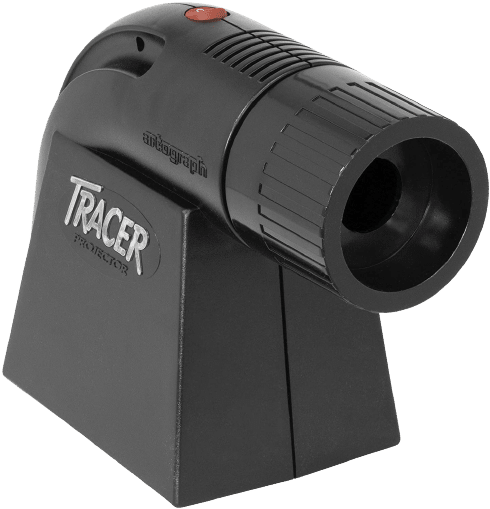
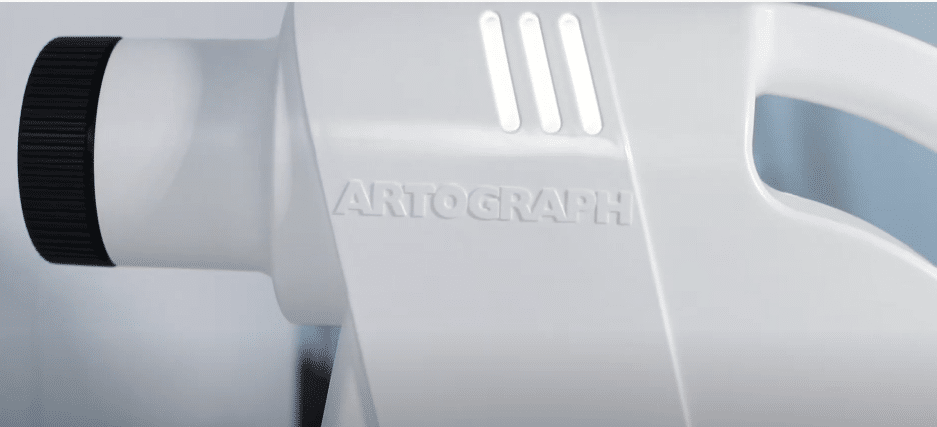
As an artist, you may need to move around your studio and project and enlarge images for your work. The Artograph Tracer is an excellent art projector because it’s small, lightweight, and easy to use. At only 3.3 pounds, this opaque art projector can be easily moved around and enlarges your print onto any vertical surface.
Get images up to 14x the original size so you can work on your projects in sections and with much more clarity. The opaque projector comes with a 23-watt fluorescent lamp that can last for up to 8000 hours. The Artograph Tracer is also compatible with a 1600 lux LED bulb.
What We Like
- Easy twist lens to focus
- Opaque projector for transferring, enlarging, and tracing
- Small and portable
- Lightweight
- 5x5 copy area
- Works with fluorescent and LED bulbs
- Projects onto any vertical surface
What We Don’t Like
- Not a digital art projector
- Zoom works only horizontally
Xgimi Horizon
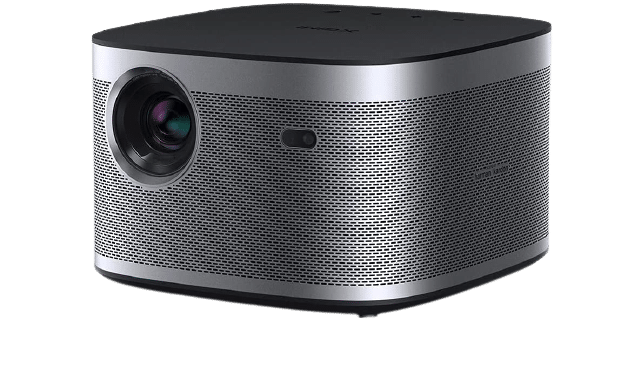
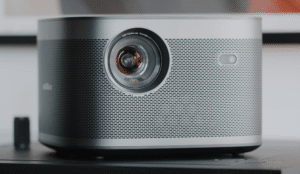
The Xgimi Horizon is an excellent movie and art projector that will keep your images centered with keystone correction and produce excellent image quality. The portable projector is small with stunning 1080p FHD resolution.
If you plan on displaying your artwork with slides, the Horizon has a brightness feature that adjusts automatically. It has a 2000 ANSI rating with automated brightness for your convenience.
The small projector is easy to set up, and it also has Harman Kardon speakers built in to give you an extra feature to accompany your art.
What We Like
- Automated brightness adjustment technology
- Has speakers built-in
- 2000 ANSI rating for a dark room
- Project apps and images
- Delivers sharp images at 1080 FHD
- Small and portable
- Works with a USB flash drive, HDMI cord or Bluetooth
What We Don’t Like
- A little pricey
- Need to upgrade firmware
Artograph EZ Tracer
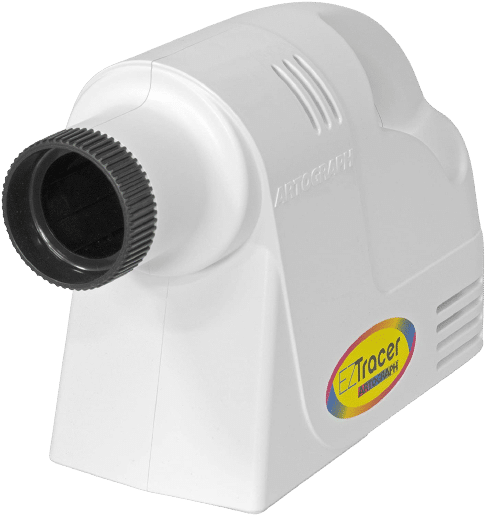
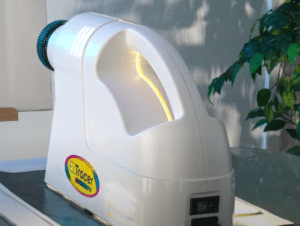
This is another amazing art projector that also allows you to project images onto a vertical surface. It’s a more budget option compared to the Tracer because the Artograph EZ Tracer does not come with the bulb. However, this gives you the ability to choose the right type of LED or CFL bulb that you’re used to.
You can get displays up to 10x larger than the original image, allowing you to create murals with accuracy and project your art for display. The small and lightweight projector comes with a 5.5-foot long cord that can work with an extension cord if needed.
What We Like
- Perfect art projector for murals
- Enlarge your image up to 10x
- Helps with large-scale painting
- Affordable projector
- Uses optical glass
- Compatible with LED and CFL bulbs
- UL approved
What We Don’t Like
- Not digital
- Incandescent bulbs are not recommended
FANGOR Wi-Fi Projector
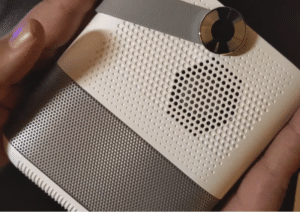
Our artists really like the FANGOR Wi-Fi Projector because it can take a printed image and display it digitally. The small and portable projector comes with a carrying handle, making it ideal for those who need to move from studio to gallery. The art projector is compatible with microSD, USB, and HDMI inputs, to name a few.
The Wi-Fi projector is compatible with your phone and syncs to the screen. This makes it easier for artists to set up their installations at any location. Don’t worry about sounding unprofessional with a very loud art projector because the FANGOR has noise reduction technology.
What We Like
- Doubles as a home theater projector
- Portable
- Compatible with your smartphone
- Noise reduction technology
- 3-year warranty
- Large viewing screen
- Has a carrying handle
- Supports Bluetooth
What We Don’t Like
- Speakers aren’t very loud
- Setup can take some time
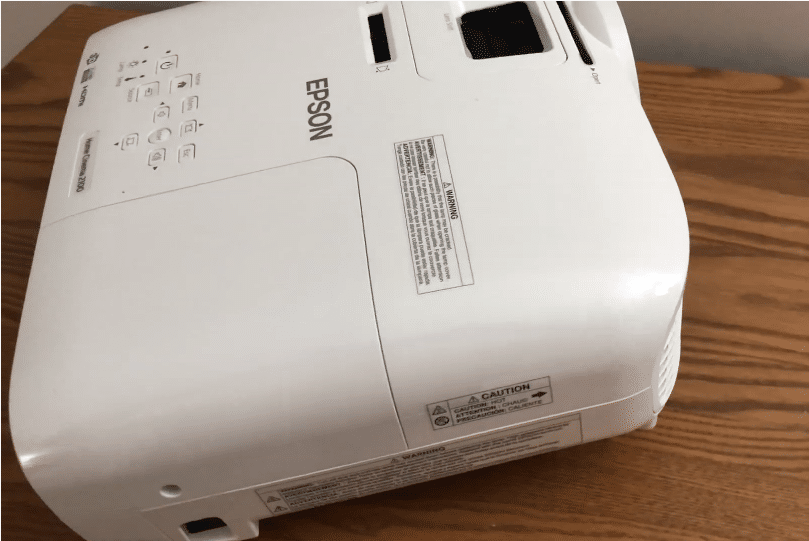
Epson HC2100
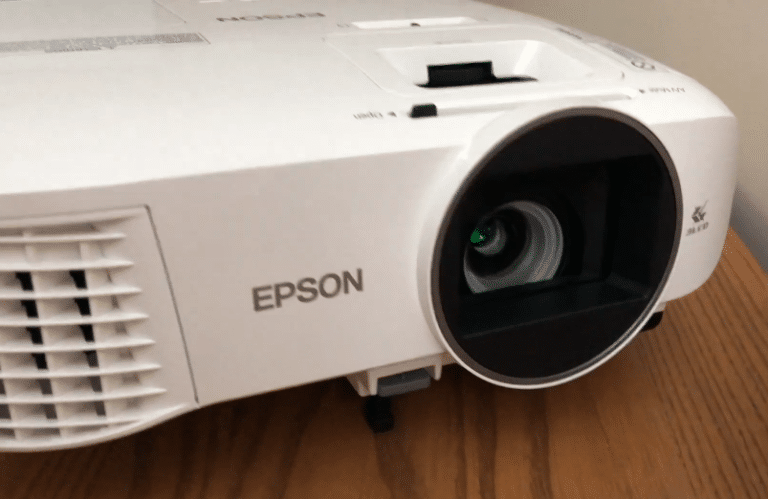
The Epson HC2100 is great for videos and movies, but it also functions as a digital art projector that can cast live images for your needs. First and foremost, digital art projectors are very bright. This one, in particular, can function in a variety of lighting conditions.
The 1080p resolution can deliver a wide viewing screen up to 132 inches diagonally. The contrast ratio will make sure the projected image is only displayed with realism. You can mirror images from MHL devices for all to see, and the 3LCD technology will make sure there is no rainbow effect.
What We Like
- 4x larger images than a regular flat panel
- 3LCD technology
- Very bright
- High contrast ratio of 35,000:1
- Vertical lens shift
- Zoom
- Has eco-mode
- Easy to set up and use
What We Don’t Like
- Can get a little fan noise
- Using a universal mount will take some time
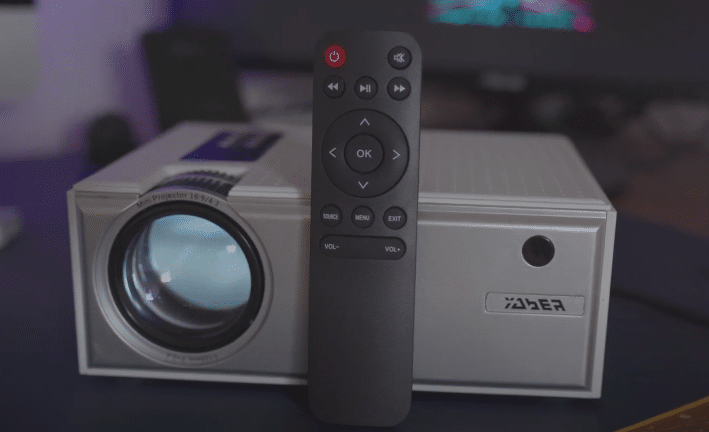
YABER V3
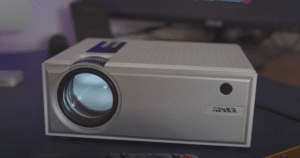
Similar to the Apeman mini projector, the Yaber V3 is small and portable – the ideal tool for digital images. The V3 also comes in many colors, which is always a bonus for our team. Most projectors have HDMI, but not all of them can boast Bluetooth support, but the V3 can.
Furthermore, it has all the features under the hood to operate well in a lit room because it’s 50% brighter than other basic models.
The high-quality lens and the advanced display technology make sure the digital image is clear no matter how large the projection surface is.
What We Like
- Bluetooth 5.0
- FHD supported
- 50% brighter than other projectors
- The x/y zoom function can be accessed via the remote
- Works with your USB stick and phone
- Built-in cooling system
- Lifetime technical support
- 6-month money-back guarantee
- 3-year repair warranty
What We Don’t Like
- USB ports will not power devices
- Cannot create optical illusions
XGIMI MoGo Pro
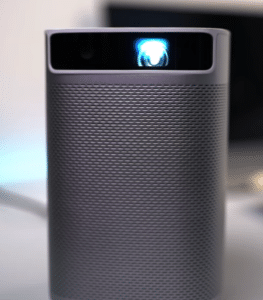
The XGIMI MoGo Pro is one of the best digital projectors for your home theater, which also makes it excellent for art image projection. It’s a little pricey, as most digital projectors are, but you will know why when you see the specs.
It has a native full HD resolution that can achieve a giant screen size of 100 inches, with 300 ANSI lumens for maximum brightness. Ambient light will no longer be your enemy!
This digital projector can directly mirror your smartphone screen. Most of our artists have some of their pieces stored on their phones, making this feature very convenient for artwork projection.
(Lacks an actual projector? Well, here are some ways to project your laptop screen to a wall without the projector)
What We Like
- A portable projector that’s great for outdoors
- Wirelessly mirror your smartphone screen
- Autofocus
- Keystone correction
- Compact and very well built
- Harman Kardon sound
- 300 ANSI lumens
- Big screen
- Works with external hard drive and USB stick for your art
What We Don’t Like
- No streaming platform apps
- Not the best for dim projection
PONER SAUND Mini Projector
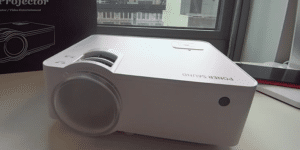
The best digital art projectors will have an excellent brightness performance. Our artists and media pros value this because projecting your art in a large venue where people move about, can let in ambient lighting. The PONER SAUND Mini Projector is up to 60% brighter than regular models. It features LCD technology capable of 5500 lux.
This mini digital projector is very small and excellent for portability. Even though it has such a small profile, it has a powerful built-in speaker that can bring melodic accompaniment to your digital displays.
What We Like
- Mini and easy to carry around
- Has a speaker built-in
- Large screen size
- Increased brightness
- Supports 1080p full HD
- Long lamp life
- Adjustable viewing angle
- Dual fan cooling system
- Focus and keystone adjustment
What We Don’t Like
- Needs an adapter to work with your phone
- No Bluetooth
AKASO WT50 Mini Projector
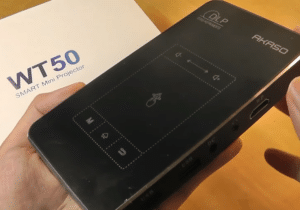
The WT50 projectors from Akaso take portability to a whole new level. These are genuine pocket-sized portable projectors that allow artists to display their work at anytime, anywhere. Even for such a small footprint, the Akaso WT50 has an advanced DLP, an RGB LED light bulb, and soft lighting.
You can control everything from the portable projectors yourself, thanks to the touch control. You can take advantage of the microSD and USB ports to access your art projects and select and cast them easily.
There is even a multi-screen projection function, and it comes with a rotating bracket.
What We Like
- Operates on an Android 7.1 system
- Multi-screen projection
- Very portable pocket projector
- Touch control
- DLP display technology
- Can screen mirror your smartphone
- Keystone correction
- Supports Wi-Fi
- Comes with a mini tripod mount
What We Don’t Like
- Requires external speakers for sound
- Best for dim environments
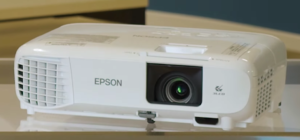
Epson Home Cinema 880
Next up are the Epson Home Cinema 880 digital projectors from Epson. This model delivers high image quality and stunning RGB color, making it one of the best art projectors.
You will see ultra-bright images because of the 3LCD display. Every color on the color wheel will be produced with the utmost accuracy. As digital projectors, the 880 models have full-digital HDMI connectivity with a built-in speaker.
The setup is easy, and the automated built-in skew sensor will detect your artwork and correct the keystone if necessary. The digital projector is highly portable and can display videos and images up to 320 inches.
What We Like
- Best digital projector for screen size
- 3LCD display
- Built-in skew sensor
- Keystone correction
- 1080p full HD
- Dynamic contrast ratio
- Built-in speaker
- Great for a smaller art studio
What We Don’t Like
- Doesn’t come with a carrying case
- No Wi-Fi
Art Projectors Buyer’s Guide
The best art projector will have a different definition for each artist. Do you want digital models or just an analog one for tracing images? The intricate details may vary, but our expert techs say there are common threads that all the best projectors must share. Our team has compiled a list of necessary features you should look for in any type of projector.
Brightness
Lumens, ANSI lumens, and lux are the factors that will all affect the brightness of your digital projectors. The ANSI rating is similar to the lumens rating, except it was done under stricter requirements, which means the ANSI rating is more accurate. The lux refers to the total amount of light on the surface of your image for each unit of area.
The higher the number for the above ratings, the brighter your projector will be. You may be thinking that brighter is better. While this may be true for some, it may not be for others. Projectors for artists that work in very dark environments will be different from ones for artists that want to display their work in well-lit rooms.
The right art projector will have the perfect rating for your needs. Our team recommends 1000 to around 3000 lumens for a dark room. Alternatively, the rating should be around 5000 or over for those who need bright picture quality in ambient or bright lighting.
Resolution
The resolution is indicative of how clear and sharp image projection is. Super cheap projectors may only have 720p HD resolution at the very most. Our media team says a native resolution of 720p is okay if it can support full HD 1080p. Of course, we would rather you choose a full HD resolution model.
The resolution will tie into the screen size of your projected images, which we will cover in more depth in a bit. You don’t want to have to compromise the actual image quality for the screen size. This will only hurt your credibility as an artist if your images are blurry (unless that’s part of your project).
If you want to enlarge your work up to 200 inches or over, then our team suggests great 1080p projectors at the very least, but supported 4K resolution [1] is even better. Remember that if you’re going for digital projectors that can double as home theater projectors, then 1080p resolution is what most people would want for watching movies.
The resolution will only apply to a digital projector and not so much an opaque projector or an overhead projector. A digital projector for tracing with 4K resolution will make it much easier for you to follow the lines on an enlarged scale.
(For better resolution, you can also consider the top laser projectors listed here)
Screen and Throw Size
We mentioned the screen size before, and now our team will dive into more detail on the subject. The image can be as large as the projector allows. In general, the further you place your overhead projectors or digital art projectors, the larger the picture will be.
But a common result that happens is the brightness of your projector along with the resolution will take a hit. To find the right type of projector for you, our team says to determine the size of the screen you need in reference to the brightness and resolution.
Also, keep in mind that the screen size is measured diagonally and not length or width-wise.
Then we need to consider the throw size. The perfect projector can deliver a large screen with a short or ultra-short throw distance and perfect picture regardless of the distance in a bright room. Perfection may not exist in this form unless you are prepared to spend over 1000.
The throw size will be impacted by the size of your art studio or gallery. Throw distance is categorized into three sections – ultra-short throw or UST, short throw, and long throw. A UST projector is the best projector for a limited space. It may only need a few inches of throw distance to cast a large image for your art.
A short throw projector is a good balance between price and space. It will need just a few feet to throw. As you might have guessed, a long throw projector is one that requires 8 feet or more. Long throws are the best projectors for artists who need a larger space or very large displays.
Connectivity
It won’t matter if you find the best part projectors on the market if it isn’t compatible with your devices. A digital projector casts images from your phone, a USB stick, or a microSD card. A digital projector will commonly have wired and wireless connections with more basic units having only one.
What the best projector is for you depends on your needs. Do you need a wireless connection, or are you perfectly fine with wires? How do you want to cast images? If you’re used to screen mirroring, then we would recommend Wi-Fi or Bluetooth.
Slide projectors, a basic opaque projector, and an overhead projector will generally not support wireless connectivity, so keep that in mind as well.
Size
The size here is in regards to the size of the projector. The best digital art projector will be portable. Most of the artists on our team need to constantly move the art projectors to and from their studios. If this sounds like you, then find art projectors that are small and lightweight, have a carrying handle, or come with a carrying case.
It’s not only the size that impacts the portability; it’s also the power source. You need a projector that has a long lamp and battery life. The light bulbs for your projectors should last for thousands of hours. For example, there are ones with a lamp life of 55,000 hours or the equivalent of 15 years!
Overhead vs Portable Projector
There are different types of art projectors, and our media engineers will now compare the overhead to the portable. An overhead projector is a slightly dated model that some of you may have seen in your school days, but they are not nearly as old as slide projectors. It has a large base and it transforms a clear sheet into a projected image, while a slide projector needs film.
Why does an overhead projector apply to you as an artist? Because it can be used to enlarge your images as well. They are useful if you want to accurately trace your sketch onto a larger canvas. Keep in mind that these models are very large and bulky and are not ideal for portability. On top of that, they can also be pricier.
A portable projector is what you should go for if you value convenience and transportability. Also known as a mini projector, portable projectors can be pocket-sized as well! A mini projector should ideally come with an ergonomic carrying handle or a secure case.
Digital vs Opaque Projector
The two most common projectors are digital and opaque projectors. An opaque projector is either of the two models we featured from Artograph. Opaque projectors work similarly to an overhead model. They will take a physical image and cast it onto a larger surface. The surface can be anywhere that’s flat and vertical, regardless of material. You can project your art onto canvas, a screen, or even fabric.
With an opaque projector, the image will be magnified, so pay attention to how large an image the opaque projectors can allow. You can display your artwork on a larger version and copy a smaller image with opaque projectors.
A digital projector is also a home theater projector if it has the right inputs and connectivity. The brightest projector choice for your art will be digital. Digital projectors will come with all the bells and whistles that will make it a great home theater projector too. We mean a high contrast ratio, native resolution, lumens rating, and other display technologies.
Digital units work by casting digital files from your media devices, USB stick, or SD card onto a larger surface. They can also project movies and videos, which many opaque projectors cannot.
Price and Warranty
How much do you plan to spend on a projector for artists? The best digital art projectors should give you all you need at an affordable price. You don’t have to go for pricey laser models, but your projector should at least give you a decent display. The best way to get a good balance between the price and functions is to set a budget first. You can then look to see what you can get on the market within your price range. If it’s not enough, you should increase your budget.
It may be easier said than done, as many people work with price constraints. However, our experts suggest not settling for a passable product, because you may need to replace it sooner than you think. Digital projectors are usually pricier, so if an opaque projector can do the job for you, then definitely go for that one to save some money.
The warranty is important for any product you buy. A projector for artists will be something they come to rely on greatly, which means it should have an extended warranty in case something goes wrong.
Many of the projectors we chose have very lengthy warranties, guarantees, and return periods.
Purposes of an Art Projector
For newbies, you may not understand what a project for artists can do. Depending on the type you choose, it will have different capabilities. All of the types we covered can project a larger version of an image onto the wall.
They do it with a bright light and prisms. Why is a larger image useful? It allows you to work on a smaller image but enlarge it for display or to trace it, copy it, and use it for mural purposes.
You can also use a projector for artists to display your work. Some with more advanced functions can even help you create installations, multimedia pieces, and visual illusions!
Some can even use art projectors for more basic functions such as displaying photos, slides, and casting presentations. Did you know that these projectors can also help with mood lighting and creating light shows? Yes, there are various purposes for an art projector that will make them well worth the investment.
(If you are looking for an unconventional way to use a projector, then you can also check great star projectors we listed here)
How Does an Art Projector Work?
A digital projector is very intuitive, as most of us are familiar with these digital devices. If you can mirror your screen via a wireless connection, then what’s shown on your media device will be projected onto a flat surface. Or you can choose to save your artwork onto digital files and use USB or SD cards. The digital projector will read the files and cast the images onto the screen.
An opaque projector works by shining a bright light onto an opaque surface or material, hence the name. It then uses its embedded display technology to cast the image on a larger scale. This type isn’t digital, so you will need a physical image to get it to work.
The overhead projectors work similarly to an opaque projector. They take an image on a transparent plastic sheet and cast it via internal lighting and lenses onto a screen. This type has the poorest performance in a lit room.
FAQ
How do I choose a good art projector?
What are your projector needs? Do you want to work on murals, or do you want to just display your video art? Questions such as these will help you determine your needs in order to choose a good art projector. Consider the type, the connections, and compatibility, as well as the brightness and resolution.
How do artists use overhead projectors?
An overhead projector takes a sketch and projects it onto a screen on a larger scale. Artists can take advantage of this by working on a small version of their artwork and transfer it using the overhead projector onto a large screen to either copy, alter, or trace the design.
Our Top Pick For an Art Projector:
Artograph Tracer
The Artograph Tracer is our team’s top pick after reviewing all the best art projectors on our list. It’s the perfect option for artists who need to trace their projects onto larger surfaces. The tracer can deliver images up to 14x their original size so you can see every detail. It’s a very small unit that’s great for portability.
For a wide range of products, you can also check the pages below:
