
2.1 channel speakers may not be as impressive as a full surround sound system but with the right audio decoding abilities, it can elevate your viewing and gaming experience.
Many 2.1 audio speakers are mediocre, so make sure your money is spent on ones that will blow you away. Our experts have compiled a comprehensive list of the best 2.1 audio speakers to help you out.
At A Glance: Our Top 5 Picks for 2.1 Computer Speakers
- Best Overall: Klipsch ProMedia 2.1 Computer Speaker System
- Best Budget Option: Creative Pebble Plus 2.1 USB-Powered Desktop Speakers
- Best Space Saving Option: Harman Kardon Soundsticks iii 2.1 Speaker System
- Logitech Z623 400 Watt Home Speaker System
- Cyber Acoustics CA-3602FFP 2.1 Speaker Sound System
| IMAGE | PRODUCT | |
|---|---|---|
Best Overall 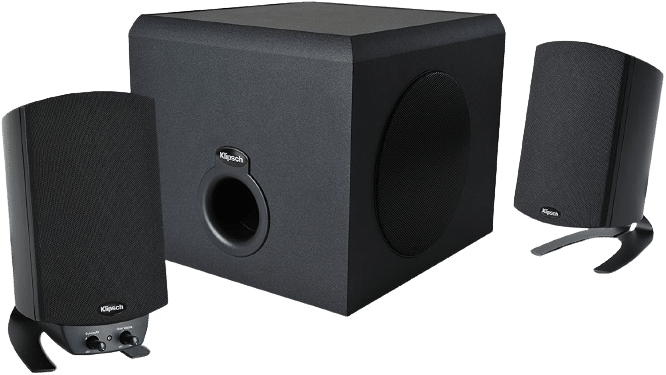 | Klipsch ProMedia 2.1 Computer Speaker System
| Our Rating: 100% VIEW LATEST PRICE → |
Best Budget Option 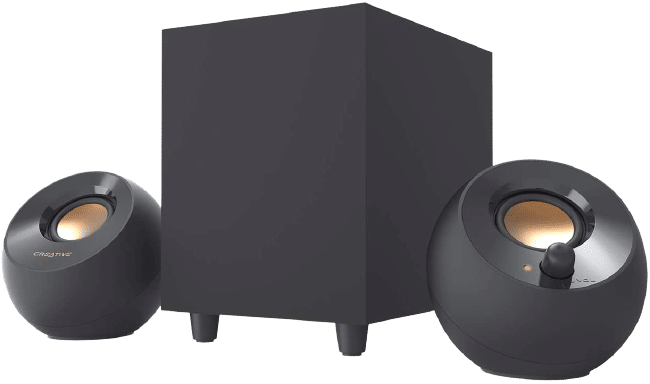 | Creative Pebble Plus 2.1 USB-Powered Desktop Speakers
| Our Rating: 95% VIEW LATEST PRICE → |
Best Space Saving Option 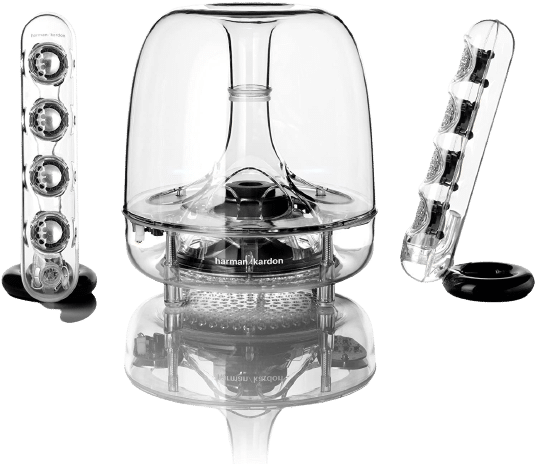 | Harman Kardon Soundsticks iii 2.1 Speaker System
| Our Rating: 96% VIEW LATEST PRICE → |
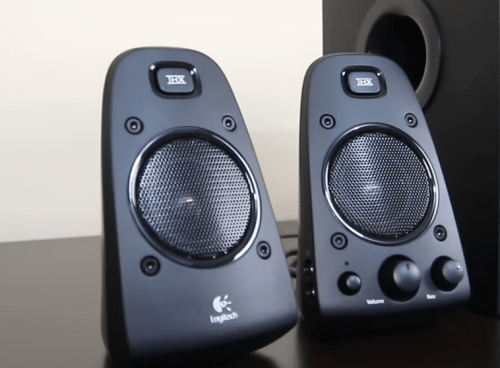 | Logitech Z623 400 Watt Home Speaker System
| Our Rating: 100% VIEW LATEST PRICE → |
 | Cyber Acoustics CA-3602FFP 2.1 Speaker Sound System
| Our Rating: 98% VIEW LATEST PRICE → |
Reviews of the Best 2.1 Speakers
1. Klipsch ProMedia 2.1 Computer Speaker System
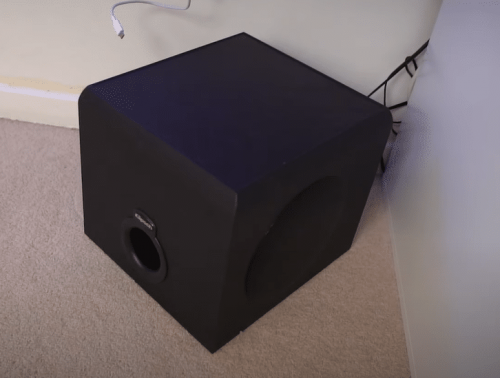
This 3-piece PC Multimedia Speaker System comes with a 200 watts digital amplifier to expand the soundstage. Each speaker comes with a miniature Klipsch Tractrix Horn to produce accurate, precise, and exceptional sound each time.
Just in case you want to keep the sound down and experience your game victories without disturbing anyone, the amplifier comes with a headphone jack and a mini plug input.
The Klipsch ProMedia 2.1 THX Certified Computer Speaker gives users a lot of versatility by being compatible with most household audio devices including your computer speakers to bring you the best sound. You can enjoy crystal clear sonic precision from dual horn-loaded satellite speakers, long-throw woofers, and a high frequency response range of 35 Hz to 20 kHz.
What We Like
- 3-piece audio system with two speakers and an amplifier
- Elevate your audio experience with Klipsch Tractrix Horn Technology
- Horn-loaded satellite speakers
- High frequency range
- Comes with a headphone jack and mini plug
- Small, compact, and lightweight
- Compatible with your home theater system or computer
- Easy volume control
What We Don't Like
- May pick up buzzing occasionally
- No power button or switch
2. Creative Pebble Plus 2.1 USB-Powered Desktop Speakers
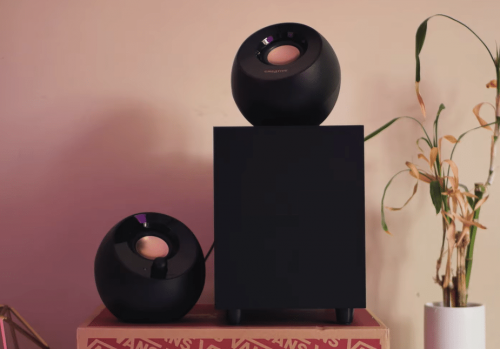
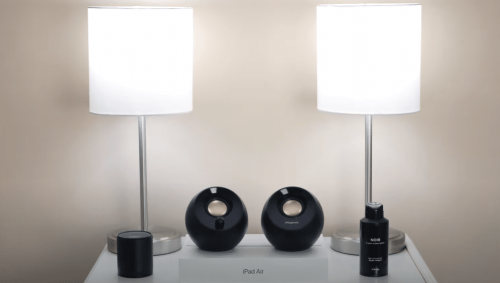
One of our experts’ favorites for design and price, the Creative Pebble Plus 2.1 speaker system will improve your overall sound quality while matching seamlessly with your interiors. Take your pick of black or white with different finishes and accents.
This is also one of the 3-piece speaker systems we have on the list that comes with rear speakers and a woofer. Whether you are gaming or listening to music, the downward firing 4-inch subwoofer will deliver the deep bass tones for that extra thump.
The high-quality middle-range drivers are angled towards you at 45 degrees, making these small circular speakers perform just as well as other mid-grade wireless speakers and bookshelf speakers. One downside, though, is it doesn’t have Bluetooth.
What We Like
- Comes in multiple colors
- Comes with a downward firing subwoofer
- Creates dynamic and balanced sound
- High Gain mode
- Very affordable price
- Easy volume controls
- USB-powered design
- Small and compact but with powerful sound
- Comes with all the cables necessary for setup
What We Don't Like
- USB powered, not USB speakers
- No Bluetooth
3. Harman Kardon Soundsticks iii 2.1 Speaker System
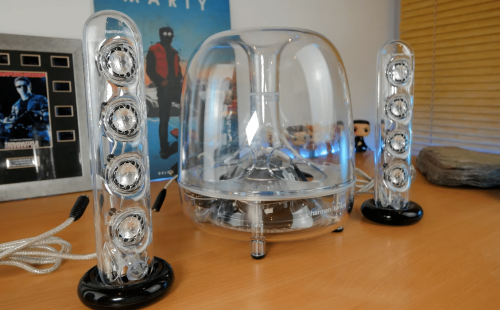
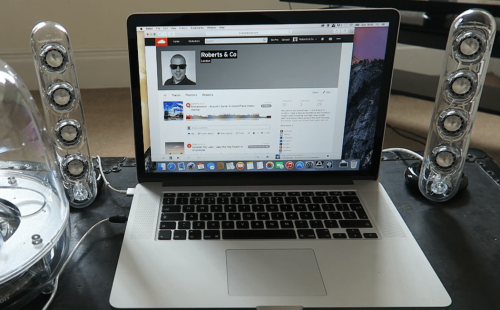
The Harman Kardon Soundsticks iii 2.1 speaker system takes the gold medal in innovative design. The transparent housing of the woofer and satellite speakers give you a look into the technology used to deliver the best audio quality from Harman Kardon.
While these best computer speakers are a little pricier compared to Vizio M21D-H8R, there is a good reason as they do not only look like works of art, but also exceptional sonic elevation tools. The eight transducers can fill rooms of most sizes with enveloping impressive sound. The loudspeaker of this 40 watts 2.1 speaker system is also down-firing.
Furthermore, you can control the angle of the rear satellite speaker system and connect the audio system to your media device to bring surround sound while listening to music. There’s also a subwoofer volume control.
What We Like
- MoMA-approved for its ground-breaking design
- Angles can be controlled
- Powerful subwoofer
- Easy touch subwoofer and volume control
- Compatible with most media devices
- Eight transducers
- Energy-efficient
- Excellent sound quality
What We Don't Like
- More expensive price tag
- Fragile cable connections
4. Logitech Z623 400 Watt Home Speaker System
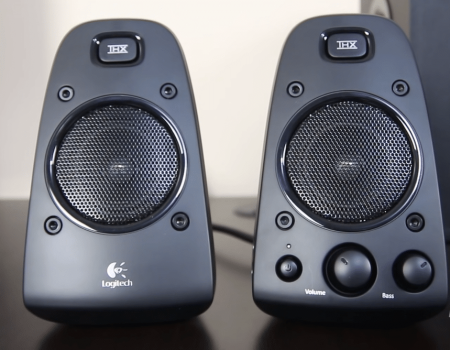
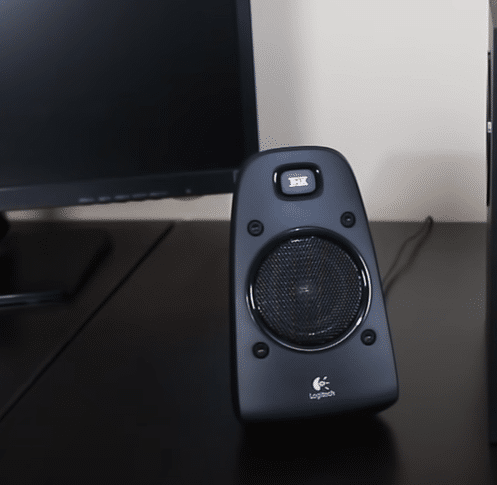
These Logitech Z623 speakers are THX certified to be one of the best 2.1 speaker systems on the market today. You can expect an immersive experience for the most realistic sound with Digital Signal Processors.
The Logitech Z623 doesn’t disappoint in terms of power output with 400 watts RMS peak power. For connections, the RCA and 3.5mm headphone jack connection hooks up the Logitech Z623 to most media devices.
Unlike the 2.0 system of Samsung SWA-8500S, the Logitech Z623 THX certified speakers has two satellite speakers and a woofer with an 8-inch driver. Plus, it’s compatible with home sound systems, computer speakers systems and even your gaming consoles.
What We Like
- THX certified speaker system
- High peak power wattage
- Two speakers and a subwoofer
- Highly compatible with home devices
- RCA and 3.5mm jack connection
- Accurate acoustic precision
What We Don't Like
- The Logitech Z623 has thick cables
- No Bluetooth
5. Cyber Acoustics CA-3602FFP 2.1 Speaker Sound System
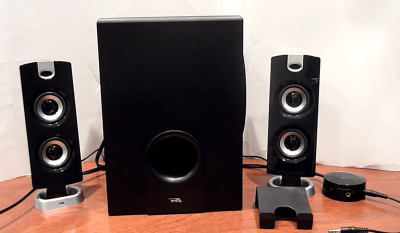
The Cyber Acoustics CA 3602FFP series brings volume control and sound adjustments to a whole new level with a wireless remote control pod. Rather than a universal remote, the touch-sensitive control panel allows users to set the speaker system easily.
The Cyber Acoustics satellite sound system has two dedicated drivers that belt out the sound. Even if it is not the standard system for a true surround sound like Onkyo HT-S3900, once you paired the Cyber Acoustics with the woofer, you can enjoy the best 2.1 sound quality from this set of speakers. The left and right computer speakers feature a contemporary design that complements your computer or TV.
Finally, to put your mind at ease, Cyber Acoustics offers a one-year hassle-free quality guarantee.
What We Like
- Sleek design
- Affordable price
- Comes with control pod
- Delivers room-filling sound
- 1-year hassle-free quality guarantee
- 2-way satellite drivers
- Powerful subwoofer
- Touch-sensitive control panel
What We Don't Like
- One switch is on the side of the control pod
- Very light design
2.1 Speakers Buyer’s Guide
In this part of the review, our audio team will go more in-depth about what to look for in the best 2.1 speakers for the optimal audio experience. What system features are needed to elevate the sound? This question and more will be answered here in our best 2.1 speakers system guide.
Design and Build
The design and build quality of your speaker and subwoofer sound system is not only about the appearance, but also the convenience of use, user-friendliness, and positioning. These speakers can often double as computer speakers.
Although the size can affect how the speakers sound, it’s the technology embedded inside. The dome tweeters and bass quality are responsible for balanced sound. Consider the placement of your speaker and the purpose. Are you going to hook it up to your home system or do you intend to move it around from device to device?
If you plan on enhancing the audio from your computer speakers, the size of the woofer and satellite speakers will matter. Make sure the system you choose can fit into the location and that the positioning of wired connections are easy to access.
Are the speakers and woofer down, up or side-firing? If you have side-firing speakers, it’s important to make sure there are no obstructions in the firing line. If anything gets in the way of the drivers, it can significantly muffle the audio from your 2.1 speaker system and affect the sound quality.
Do the speakers consist one driver or a couple that are dedicated to each part of the sound spectrum? Your left and right speaker can be 2 or 3 way, which means separate drivers for clear highs and lows or clear highs, mid-range and lows respectively throughout the frequency response range. A 3-way system will be much more precise in terms of audio quality relays because the drivers and dome tweeters will take care of what the 2-way speakers cannot.
Think about how you want to control the speaker system. You want the volume controls and on/off button to be conveniently located for easy access.
The best speaker systems will not compromise the build for an impressive sound quality. They are meant to delight your ears. There is no way you would worry about how to stop your speakers from buzzing every now and then. You should still be able to enjoy deep bass from your 2.1 channel speakers and woofer, and have the housing made from the best materials such as aluminum.
Also, consider the number of channels. A 2.1 speaker system, like the Edifier USA 2.1 speaker system, is much better than a 2.0 system because it comes with an external sub. However, our experts remind you that a 2.1 multimedia system can also have a sub outfitted within one of the components. A built-in sub is a great way to save space, but because of the smaller size, the bass enhancement is much less obvious than the alternative.
For true surround audio, you need at least a 5.1 system [1], but that’s not to say 2.1 speaker system can’t satisfy your audio craving. Just pay attention to the size, the direction of the speakers, and added features to boost the sound quality.
Sound Quality
Speaking of sound quality, it brings us to the next section of our 2.1 speaker system guide. A good bass is important in any audio device. You need to make sure your system features a powerful subwoofer for impeccable audio and decent bass volume level. For example, a 5-inch or 6.5-inch driver of the subwoofer will be less powerful than one of a larger size. A 2.1 speaker system will come with a woofer for sure, because the “1” in 2.1 system channels refers to how many subwoofers there are. As such, you can expect a decent bass volume.
However, the size of the components isn’t the only thing you should consider when thinking about your audio quality. The RMS power and peak power will also affect the audio and volume of your speaker system, but our experts will go into more detail about that later.
Other factors that affect the sound quality which our experts have mentioned before include which direction your speaker systems fire in, how many dedicated drivers there are, and technologies.
Take Klipsch for example. They have the coveted Tractrix Horn Technology, which enhances the accuracy of your bass, middle-range drivers, and higher volume tones. If your system is THX certified like the Logitech Z623 or Z625 system, then you can bet on the excellent speaker systems even with just 2.1 channels.
The placement of the 2.1 sound speakers will also affect the sound quality and volume as well. If you have wireless speakers, the flexibility of placement will give you more options to find the sweet spot for listening. Even if your computer speakers are not wireless, you should play around with the positioning to figure out the best setup.
Since the woofer is responsible for the lows, our experts suggest placing your 5-inch, 6.5- inch or 8-inch subwoofer under the table, next to you, under your seat or behind you. The lower the position and the closer it is to you, the better.
If you are looking for best bass and sound quality combined, here are the top-rated Rockville speakers you can add to your speaker setup.
Power Ratings
The power rating of a speaker system will affect the powerful bass response and other sonic frequencies. A speaker system will have two different power ratings — the peak and RMS power. The peak is always more advertised by manufacturers because it’s always higher and more impressive. However, our team says to pay more attention to the RMS power.
The RMS power is much more realistic as it refers to the amount of power your 2.1 audio speakers can produce consistently over a long period. The peak, on the other hand, is the opposite. It refers to the wattage your 2.1 audio speakers can reach in short bursts. This figure is not sustainable and will cause damage to your system if played at this power rating over a long period.
Let’s take the Logitech Z623 for example. The Logitech Z623 has a peak output of 400 watts, which is very impressive for a system of its size, but the RMS is only half that. Don’t be fooled by the peak output and think your speakers can sustain that level of power.
If you are looking for other great brands, you can also check high-performing Episode speakers here.
Connectivity Options
What types of connections does your 2.1 multimedia system offer? Make sure the wired connectivity options are compatible with all your devices. The most common wired connections seen in any basic speakers like the Bose Companion 2 Series III and can also be present in 2.1 systems are the 3.5mm jack (also known as the headphone jack) and RCA cables.
A headphone jack will allow you to connect your earphones or headset to the device so you can enjoy and stream music without disturbing those around you. Just remember to not crank up the volume too high if you’re listening via headphones.
Bluetooth audio is also available in certain models. However, having the wireless option of Bluetooth could hike up the price of your system. The length of the cables that come with your system will affect the placement. Give yourself more flexibility by opting for longer cables. But if you have the budget, Bluetooth will come in handy. Something like the Edifier S350DB is a great option.
Someof the best 2.1 speakers can come with USB ports for charging, playback, and connecting to other devices. Since most media devices will support USB ports and cables, our experts highly recommend ones that have them for the compatibility rating.
A wireless setup is very convenient, but wired connections offer more stability. Conversely, more cables means a messier setup and potential tripping hazard if you place your speaker or woofer on the ground. If you have wired speakers at home and opt for a clutter free setup, you can make wired speakers into wireless easily.
Extra Features
An extra feature that our experts find to be very convenient when elevating your bass is some sort of remote control. For example, the Cyber Acoustics series has a control pod for easy settings and adjustments. The bass and volume levels of your device can be easily controlled and customized for an immersive experience.
The technology offered in the best speaker systems can give way to extra features. For example, having Tractrix Horn Technology will put the Klipsch ProMedia 2.1 THX Certified computer speaker above all other ones on the market. This technology enhances the deep bass and precision of the speaker system.
Some of the best 2.1 speakers are even compatible with virtual assistants for hands-free voice control. These computer speaker systems can also be integrated into your Smarthome setup and are very easy to navigate. However, you might need to purchase a Google Assistant or Amazon Alexa device to enjoy this feature.
An innovative design, shape, or different color options are also extra features you can look for. The high-end KEF LS50 Wireless II, for example, is available in carbon black, titanium grey and in mineral white. Logitech Multimedia Speaker System devices, the Edifier S350DB, as well as other ones on our list can come in many different finishes, shapes and sizes. Of course, the Harman Kardon SoundSticks III take the cake as the best 2.1 speakers in this aspect for its ground-breaking industrial design.
Setup
Our experts have experienced consumer returns that stem from a difficult setup. That’s why our team prizes an easy and straightforward setup process almost more than the design of a speaker system.
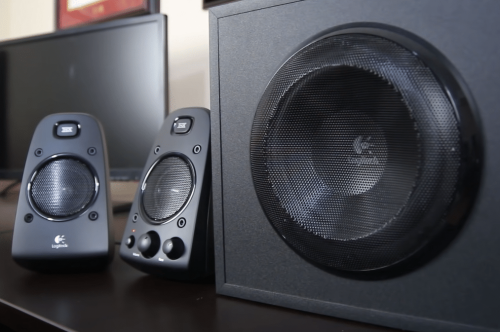
You want the setup of your Logitech, Klipsch or Harman Kardon speakers to be as easy as possible. The subwoofer for bass is most likely wireless, but even if it is wired, the connection should be clearly labeled on the back of the subwoofer.
The two satellite speakers can be wired or wireless. Wireless pairing is as simple as turning on both devices, putting them in Bluetooth Audio pairing mode, and connecting them to each other. If you have wired speakers, the headphone jack or RCA cable connections should be plug-and-play.
The knobs or buttons for adjusting the volume, treble, and bass should be easy to reach as well.
Look at what comes with your purchase. The user manual should be included with any reputable 2.1 speaker system. Even well-known 2.1 soundbars like TCL Alto 6+ include a manual. It should guide you through the installation and setup process with each step clearly written out.
Make sure everything you need is also included in the box. Ideally, you want to go from unboxing to enjoying enhanced powerful bass and surround acoustics in a matter of minutes. This means you will need the cables, all the components, user manual, remote or control pod, and mounting kit if applicable.
Price
How much will your new 2.1 system cost? The better the bass and audio soundstage you expect, the more money you need to be prepared to pay.
Our team does contest that your money is usually put to good use with reputable brands, but don’t focus on big names because there are often lesser known brands that have amazing products with strong bass. The options on our top list will surprise you with their efficiency, audio performance, and audio delivery. There are even high-quality speakers for your PC below 100 that are worth every cent.
If you want a good enough system that has extra features or more advanced technologies, then that will also increase the price of your products. For example, wireless compatibility and the ability to deliver precise audio with professional technologies are all factors that can boost the price.
Even the design and appearance of the speaker system can affect the cost. The Harman Kardon Soundsticks iii is an excellent example of cost and appearance correlation. Many people may think it’s worth it to pay a premium for speakers that made it into MoMA for its innovative design, while others believe that the look of a speaker system is besides the point.
You don’t necessarily need to have such a pioneering design to justify the extra cost, because even small tower speakers can affect the price. Tower speakers aren’t anything new, but they can house separate drivers that are dedicated to each section of the sound spectrum to bring forth more balanced and dynamic sound quality.
It doesn’t matter what you choose, just be aware that the price range will most often reflect extra features and capabilities of your 2.1 speaker system.
Looking for midrange speakers for hearing impaired? Here the top wireless TV speakers for hearing impaired. Read next!
FAQ
Are 2.1 Speakers good?
Yes, 2.1 audio speakers are good. What determines if the speakers are good are your specific wants and requirements. For enhanced bass and surround sound, 2.1 audio speakers look good enough if they also feature helpful and high-end audio technologies. Even if they don’t, the left and right speakers plus a woofer can be a great addition to smaller rooms or used as computer speakers.
How do I choose a good 2.1 speaker?
You can choose a good 2.1 speaker by identifying your needs. A 2.1 speaker has a woofer and two satellite left and right speakers. This setup is sufficient for boosting surround music and enhancing bass. Look for ones with a sturdy build, compatible connections, an easy setup, and hopefully with added audio technologies.
Our Top Pick For 2.1 Speakers:
Klipsch ProMedia Speakers
Our experts have agreed that the Klipsch Promedia 2.1 THX system takes the crown for best 2.1 speakers. They are highly compatible for your home media devices or as computer speakers. These speakers possess the exclusive Klipsch Tractrix Horn Technology, which allows them to maximize power output and sonic precision.
The sound from these speakers is unmatched by other computer speakers in terms of expansiveness, thanks to the 200-watt digital amplifier embedded in the system. With a frequency response range between 35 Hz to 20 kHz, the ProMedia can successfully deliver a well-balanced sound quality.
Searching for media hubs for better streaming? These best home theater PCs our team listed will allow you to stream video and music easily.
